Side-by-side or overlay PDF diff with a document-type selector — Document (contracts, reports), AEC / Blueprint (drawings, schematics), or Image-Scan. Highlights pixel-level differences plus a word-level text diff in a modal.
Loft runs every file operation inside the browser tab you opened. No upload,
no server pipeline, no account. The same page that draws the buttons also does
the work — your file is read, processed, and saved without ever crossing the
network.
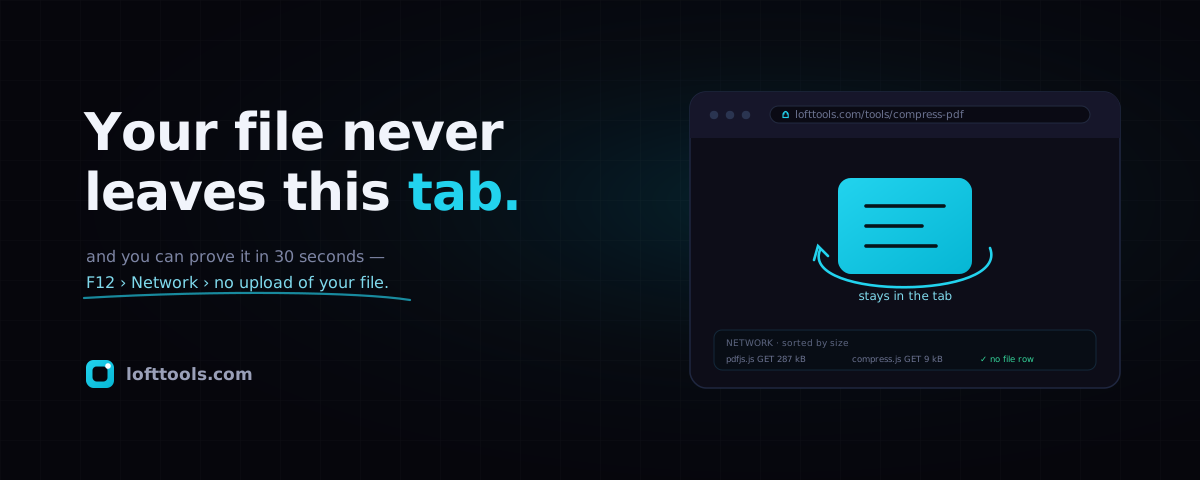
You don’t have to take that on faith. You can watch your file not leave, in
about thirty seconds, using a panel that ships inside your own browser and that
no website can edit or hide. Start there.
See it yourself — the 30-second proof
Open any tool on the site, press F12 (Cmd + Option + I on Mac), and
click the Network tab — the browser’s own log of every request the page
makes. The site can’t lie to it. Drop a file onto the tool and sort by size.
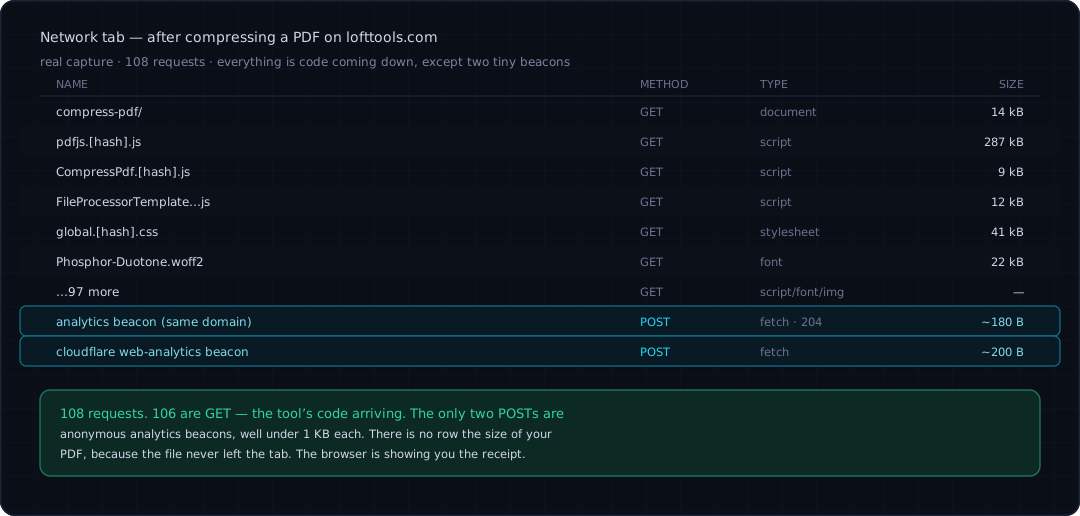
You’ll see code chunks that loaded at first paint, maybe one tiny analytics
beacon when the tool runs — and no row the size of your file, because the
file never went anywhere. If a tool were uploading, you’d see a fat
multipart/form-data POST a few hundred milliseconds after you dropped the
file in. There isn’t one.
A real capture: compress a PDF, sort Network by size. Every row is code arriving; the only two POSTs are sub-1 KB analytics beacons. There is no row the size of your file — that's the whole story, and your browser is the one telling it, not us.
Filter to method:POST and the picture gets even clearer: the noise of code
loading falls away, leaving just the tiny beacons. Section “What we actually
collect” lists every field those beacons carry.
What “local” actually means
A browser tab is a sandbox on your own computer. When you drop a PDF onto a
Loft tool, the bytes are read by JavaScript and WebAssembly that already
finished downloading when the page loaded. The work happens in the tab’s
memory, on your machine. Nothing in that flow makes a request back to us
carrying file content.
We built it this way on purpose. The alternative — upload, process server-side,
return a download — has costs that get pushed back onto you as accounts,
signups, ads, or quiet retention of the file you uploaded. Remove the upload
step and you remove that whole class of problems at the root.
Try it offline
Pin any Loft tool, disconnect from Wi-Fi, and reload. The tool still opens, the
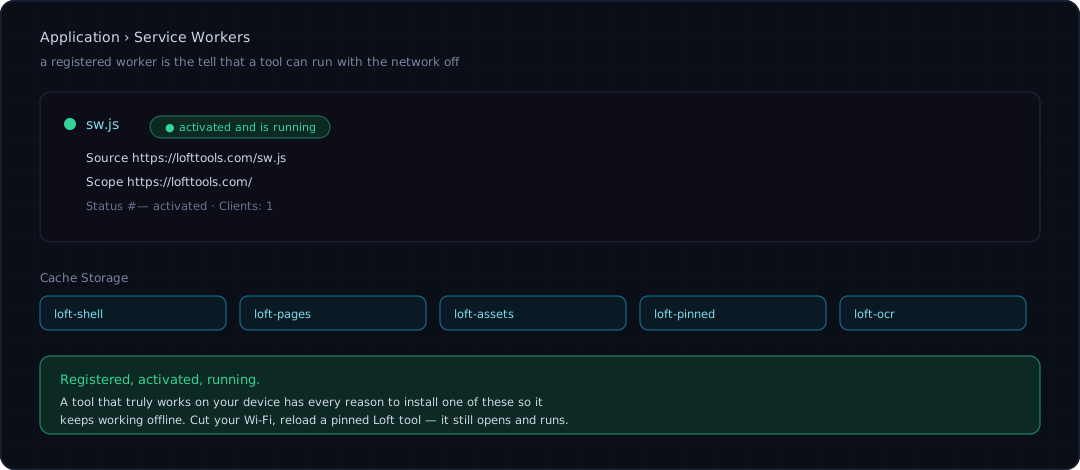
compute still runs, the result still saves. A service worker — a small
script the browser keeps running in the background — pre-caches the shell and
the tool code; pinned tools live in a cache we don’t auto-evict.
A registered service worker is the tell that a tool can run with the network off. Cut your Wi-Fi, reload a pinned Loft tool — it still opens and runs.
One honest limit: a few tools download a model the first time you use them —
on-device OCR and the background remover each pull their weights once (tens of
megabytes), then cache them. If you’ve never run those while online, they won’t
work offline the very first time. Everything else does.
How the local magic works
Two browser features carry the load. Web Workers are extra threads the
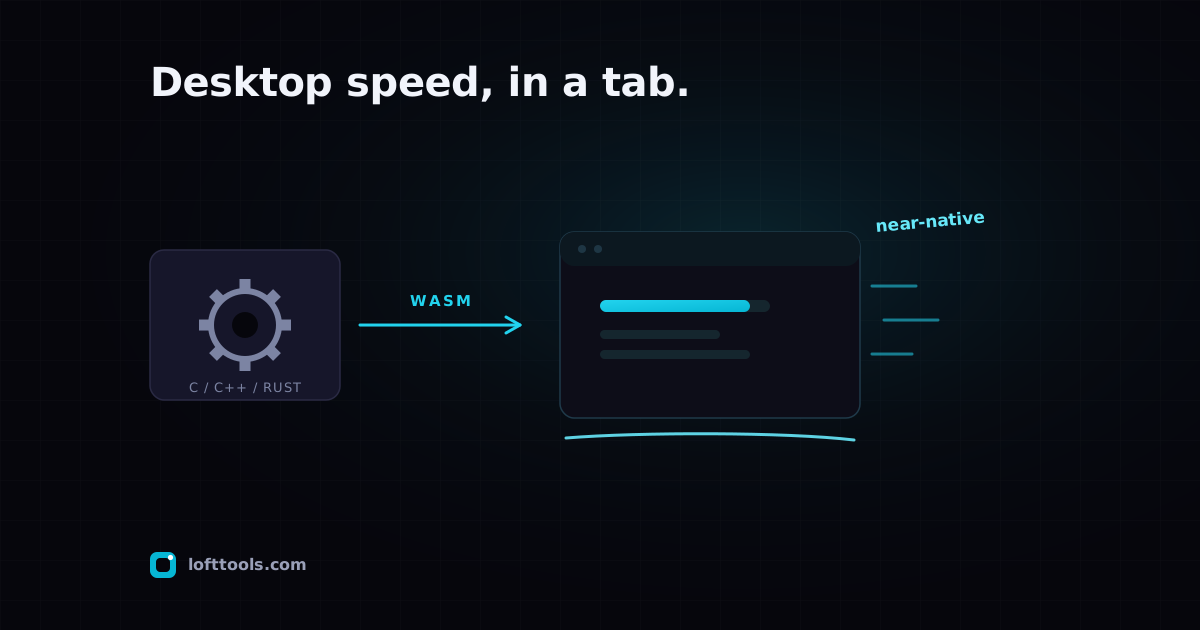
browser hands a page so heavy work doesn’t freeze the interface. WebAssembly
runs compiled C, C++, or Rust inside the tab at near-native speed. Loft layers
both: PDF.js and PDFium (via WebAssembly) for reading and rendering PDFs,
pdf-lib for writing them, FFmpeg-WASM for video, an ONNX runtime for on-device
OCR, and a WebGL engine for the 3D and CAD viewers.
The short version: your browser learned the tricks that used to need a desktop app. Loft is a thin shell around those tricks.
Why your file never leaves
A page can only send data where its Content-Security-Policy allows — and
the browser enforces that, independently of anything we say in marketing.
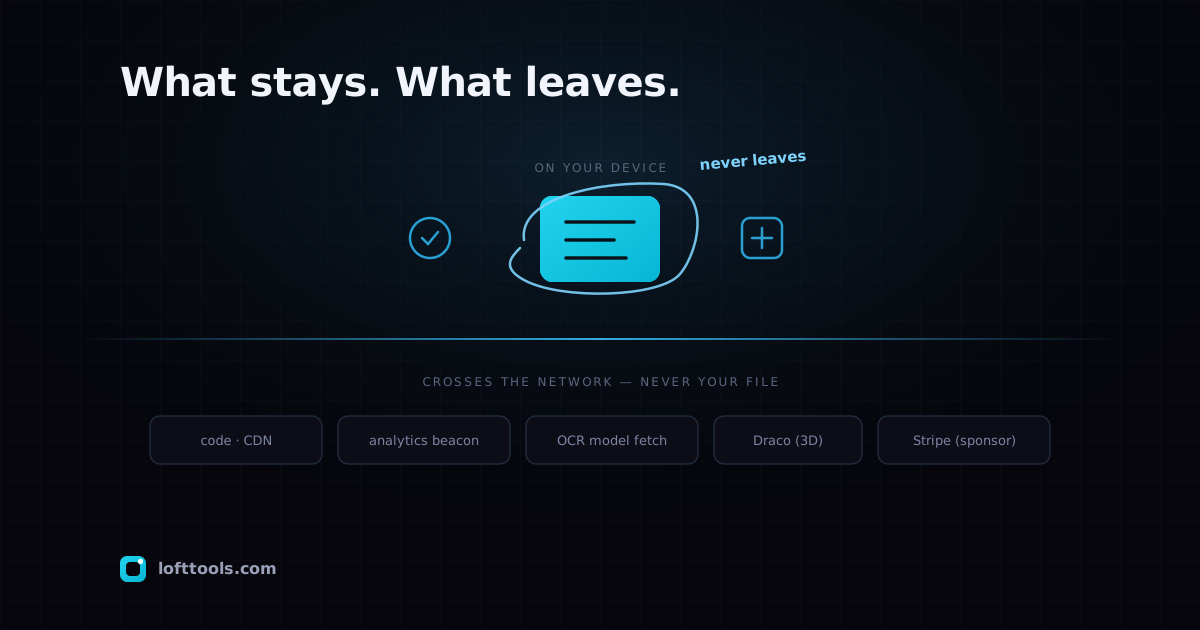
Loft’s policy names a short allow-list: our own code CDN, an anonymous
analytics beacon, the public repositories the optional OCR models come from, a
small 3D-decompression helper, and the payment processor on the sponsor page.
There is no entry for an upload destination, because there is no upload
destination — and anything not on the list is blocked at the browser level, not
ours.
What stays vs what crosses the network. Your file is on none of those wires. You can read the full policy yourself: Network tab → the page's document request → Response Headers → Content-Security-Policy.
Why this beats Adobe, Bluebeam, and native apps
Native apps that do what Loft does install gigabytes, ship update treadmills,
run one operating system at a time, and hold RAM open all day. There are still
good reasons to run one — a contractor living in Bluebeam Revu eight hours a
day should keep it. But for the occasional review-and-fix task, that install
cost is hard to justify. Two facts hold across every comparison: Loft updates
on every page reload (no version pinning, no “please install the latest”),
and the same URL runs identically on a Mac, a Chromebook, an iPad, or a Linux
box. The post-by-post breakdowns live in the explainer cluster linked below.
Why this beats Smallpdf, iLovePDF, PDF24
The free online tools each cost real money to operate, because they process
every file on a server you don’t own. To stay solvent they rate-limit you
behind a signup, paywall the useful features, or quietly retain something about
the file. Their privacy policies usually permit more than they do — most
operators don’t abuse the right, but the right exists. Local-first removes the
right entirely.
We’re not free because we’re saints; we’re free because running the compute on
your machine costs us almost nothing. The free tier will carry small ads on
listing pages (planned, not yet shipped) — the file-processing surfaces stay
ad-free.
Works everywhere, installs nowhere
The same URL works on Windows, macOS, Linux, ChromeOS, iOS, and Android — no
app-store gate, no installer, no signing certificate. If your device has a
modern browser, it has Loft. You can also install the site as an app from
the address bar — same code, just an icon and its own window.
The honest limit: iOS Safari caps the memory a single tab can use. Big PDF or
video jobs that sail through on a desktop can fall over on an iPhone. We warn
you ahead of time when we can detect it, and we don’t pretend the gap isn’t
there.
What we actually collect
The whole accounting — every event, every field:
Event
Fires when
Carries
Page view
you open a page
the page path. nothing that identifies you.
Tool run / error
a tool runs or fails
tool slug, duration in ms, a coarse size bucket (think “small / medium / large”, never the real byte count), success true/false.
—
always
if your browser sends Global Privacy Control, the write is dropped before it touches storage.
Never collected: file content, file names, file hashes, IP addresses kept
beyond a rate-limit window, behavioural fingerprints, or non-essential cookies.
The privacy policy is the authoritative version of this list.
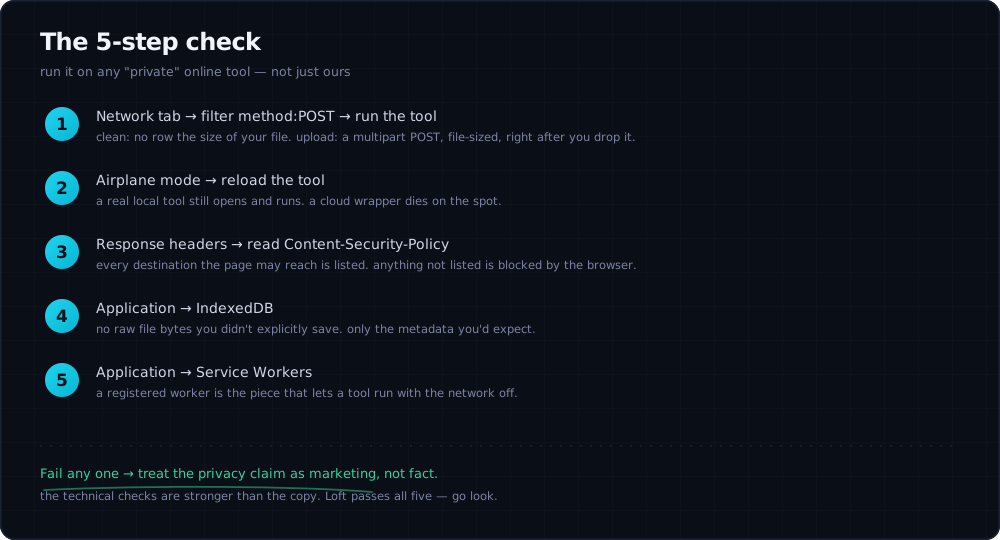
Verify it yourself — the 5-step check
Keep this next to your machine the next time you try a new “private” online
tool — not just ours.
Fail any one and the privacy claim is marketing, not fact. Loft passes all five — go look.
If a “free online” tool fails any of these, treat its privacy claims as
marketing copy rather than fact. The technical checks are stronger than the
copy.
The explainer cluster linked from this page goes deeper on each point one at a
time. Spot a claim here that doesn’t match what you see in your own browser?
Open a feedback issue — we’d rather fix the wording than keep an
error.