Investigation May 20, 2026 · 3 min read
Where Loft draws the line — what stays local, what does not
The "everything is local" claim has edges. A few specific things on Loft cross the network because they have to. Here is the honest list of what does — none of it your file — and what never crosses at all.
By Khine 686 words Extractable lead
Disclosure note on Loft’s network behaviour. Last reviewed
2026-05-29.
“Everything happens locally” is a simplification of a more precise
sentence: all file processing happens on your device, and no file
content ever crosses the network. This note draws the actual line —
the things that do cross, none of which is your file, and the
things that never cross at all.
What stays on your device, always
The bytes of any file you drop into a tool. The output any tool
produces. In-progress edits, annotations, redaction marks, crop
boxes. The text OCR pulls out of a page. Background removal, image
filtering, video compression. None of these involves a network
request that carries your data. The
thirty-second DevTools check
demonstrates it directly; the
CSP post explains why the browser
enforces it.
What does cross the network
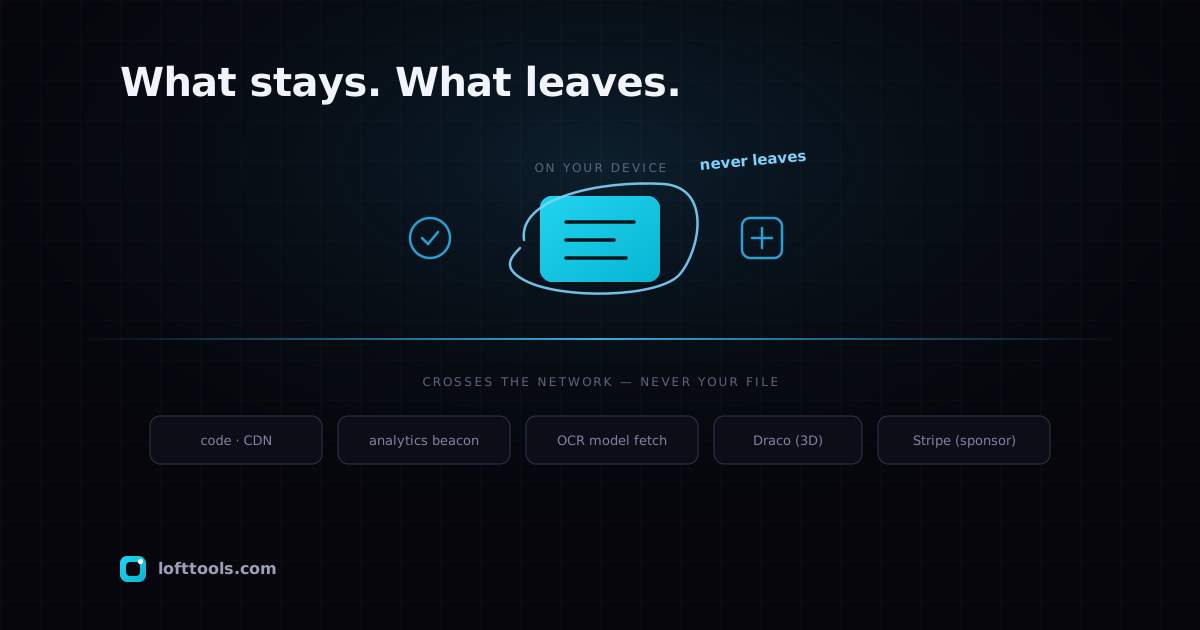
Honestly enumerated. None of it is your file.
The tool code. When you first open a tool, the page downloads
its code — the JavaScript and WebAssembly that do the work — from
our content-delivery domain, then caches it. Same kind of request
that loads any webpage’s code. Cached after the first visit.
A page-view count. When you open a page, an anonymous
page-view is recorded — which page, nothing that identifies you.
If your browser signals Global Privacy Control, it isn’t recorded
at all.
A tool-run count. When a tool finishes, an anonymous event
notes which tool ran, roughly how long it took, a coarse
size-bucket for the input (rounded hard — think “nothing”, “small”,
“medium”, “large”, never the real byte count), and whether it
succeeded. No file content, no file name, no hash. Same GPC
opt-out.
Optional model downloads. The first time you use OCR or the
ID-photo background remover, the page fetches the model weights
from public model repositories, then caches them. One-time
download of code and weights — never an upload of your image.
A 3D decompression helper. The 3D and CAD viewers can fetch a
small geometry-decompression helper (Draco) from a Google static
host to open compressed model files. It decodes your model
locally; it never receives it.
Sponsor checkout. The Support page embeds the payment
processor’s checkout. Your email and card go to them, not to us.
That page is the only place on the site that takes an email.
The CDN that serves the site. Like any hosted site, our
provider’s edge sees your IP and the URL you requested. We receive
aggregate counts from it, not per-visitor detail.
The exact allow-list of these destinations lives in the page’s
Content-Security-Policy header — readable in DevTools in a few
seconds, and walked through conceptually in the
CSP post. The point of that
header: anything not on the list is blocked by the browser.
What never crosses, in the negative
Stated as a negative because the negative is the load-bearing
part:
- No third-party analytics SDK embedded in the page — no Google
Analytics, Segment, Mixpanel, Hotjar, or session-replay. Our own
analytics is the two anonymous beacons above; we may query
aggregate stats server-side, but nothing extra is loaded into
your browser to watch you.
- No advertising network embedded today. Ads are planned for
listing pages; we’ll update this note the day they ship, and
they won’t run on the tool surfaces.
- No social-graph trackers — no Facebook pixel, no LinkedIn tag.
- No file-storage service. Our object storage holds tool code, not
user files. No S3 bucket, no third-party file sink.
- No account database, because there’s no signup.
The honest summary
Things cross the network: code coming down, a couple of anonymous
counters going up, optional model and helper downloads, the
sponsor checkout. Your file is on none of those wires. If you want
zero network activity at all after load, use a tool once online to
cache it, then go offline — the service worker handles the rest.
The pillar at /docs/how-it-works/ is the
canonical version. If you spot a destination on the live site this
note doesn’t cover, tell us — the CSP header is the
source of truth and this note should track it.