Deep dive May 15, 2026 · 4 min read
Web Workers explained without code
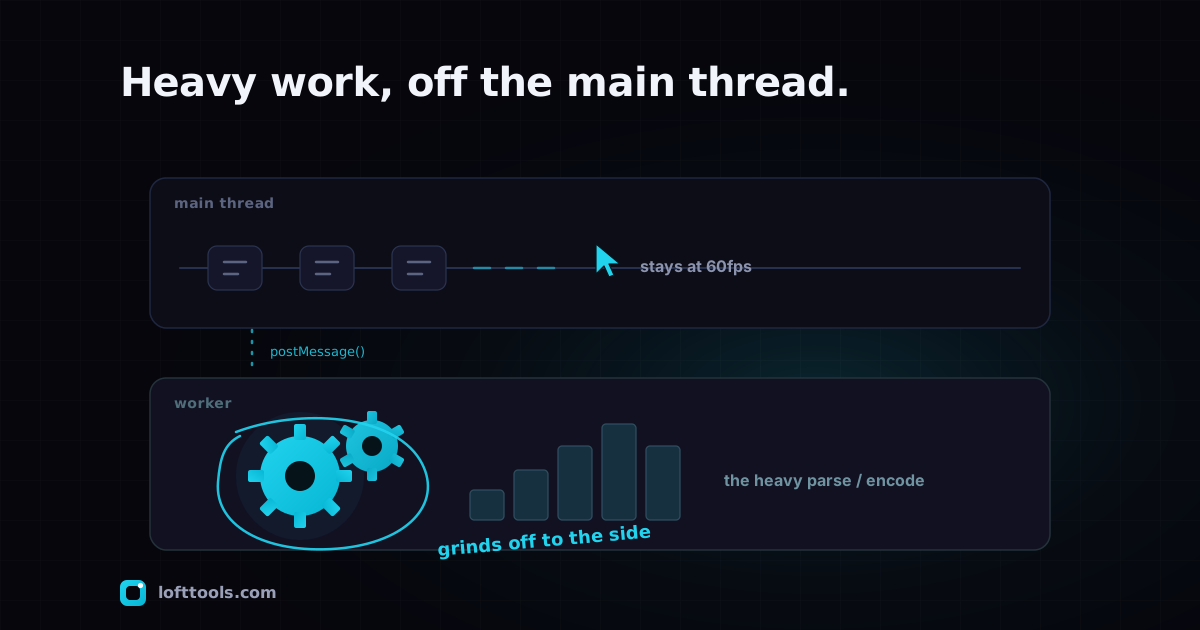
A Web Worker is a second thread the browser gives a webpage so heavy work does not freeze the interface. It is one of the two browser features that make local-first PDF tools possible. Here is what it does, why it matters, and how to spot one in DevTools.
By Khine 758 words Extractable lead
§1 — Problem statement
A webpage’s main thread does two jobs at once: it runs the page’s
JavaScript and it keeps the UI responsive (scrolling, clicks,
animations, the cursor blinking in a text input). When the main
thread is busy doing heavy work — compressing a 50 MB PDF,
encoding a video, running OCR on a scanned document — it can’t
also respond to user input. The page freezes. The fan spins.
The “page unresponsive” warning appears.
Web Workers solve this by giving the page a second thread.
§2 — Definition
A Web Worker is a JavaScript file the browser runs in a separate
thread of execution, parallel to the page’s main thread. The
worker can do heavy computation; the main thread stays
responsive. The two communicate via message-passing.
Workers and the page each have their own scope — they don’t
share variables directly, only messages. This pattern is
sometimes called “shared-nothing parallelism.” Less elegant than
threads in a native app, but safer and good enough for the
workloads browsers care about.
§3 — Loft’s Worker usage
Several heavy tools delegate work to dedicated Workers:
§3.1 — Deskew worker
A dedicated deskew worker runs the deskewing math off the main
thread so deskewing a multi-page PDF doesn’t freeze the UI.
§3.2 — Gerber parse worker
A dedicated parser worker handles Gerber files — Gerber syntax
is verbose and the parse-into-geometry step can take seconds on
complex boards. A thin main-thread facade coordinates the
message exchange and hands results back to the viewer.
§3.3 — Background-removal worker
A dedicated background-removal worker runs the ONNX inference
off the main thread. The model is heavy and would otherwise
freeze the page for several seconds. A main-thread client
coordinates the handoff.
§3.4 — Shared worker-bus
A shared worker-bus abstraction sits over message-passing so
different tools can share a consistent worker pattern.
§4 — Verification
| What to check | Where in DevTools |
|---|
| Active workers and their state | Sources tab → Threads panel |
| Worker source files | Sources tab → file tree |
| Worker call frames during execution | Performance tab → recording timeline |
| Worker storage / IndexedDB access | Application tab |
| Worker network requests | Network tab (request initiator column) |
You can also pause individual workers and inspect their state
independently from the main thread.
§5 — Why this matters for local-first
Server-side tools didn’t need workers because the heavy work
happened elsewhere. The browser’s job was just to show a
progress spinner while the upload finished. Once the work moves
to the browser, you immediately need a way to keep the
interface responsive. Without Web Workers, every local tool
would feel like the page hung every time it processed anything.
Workers and WebAssembly are the matched pair. WASM gives the
browser the speed of native code; Workers give the page
somewhere safe to run that code without breaking the UI. Either
alone wouldn’t be enough.
§6 — Constraints
| Constraint | Detail |
|---|
| DOM access from worker | none. Worker can compute anything but cannot manipulate the page. Must postMessage results back to main thread. |
| Message-passing overhead | small (~few ms for typical payloads), larger for big binary data. Mitigation: Transferable objects pass ownership instead of copying. |
| Workers per page | uncapped but mobile browsers throttle aggressively. Loft uses a handful per tool, not hundreds. |
| Lifetime | workers can be terminated by the browser when idle. They wake up when a controlled page sends a message. |
| Module workers | newer; modern stack uses them. Some older patterns still use classic workers via importScripts. |
§7 — Open questions
- Shared workers across tabs. Useful for cross-tab
coordination but underused outside of multi-tab apps. Loft
doesn’t use them today.
- Worker debugging UX. DevTools support has improved but is
still less polished than main-thread debugging. The flame-graph
view in particular sometimes mislabels worker frames as
“(anonymous).”
§8 — References
Anyway — workers don’t get the same blog-post energy as WASM,
but they do half the lifting. The reason the page doesn’t
freeze when you compress a 50 MB PDF isn’t WASM speed; it’s the
worker keeping the main thread free. Worth crediting where
credit is due.