Essay May 4, 2026 · 6 min read
"But the page is on the internet" — yes, the code, not your file
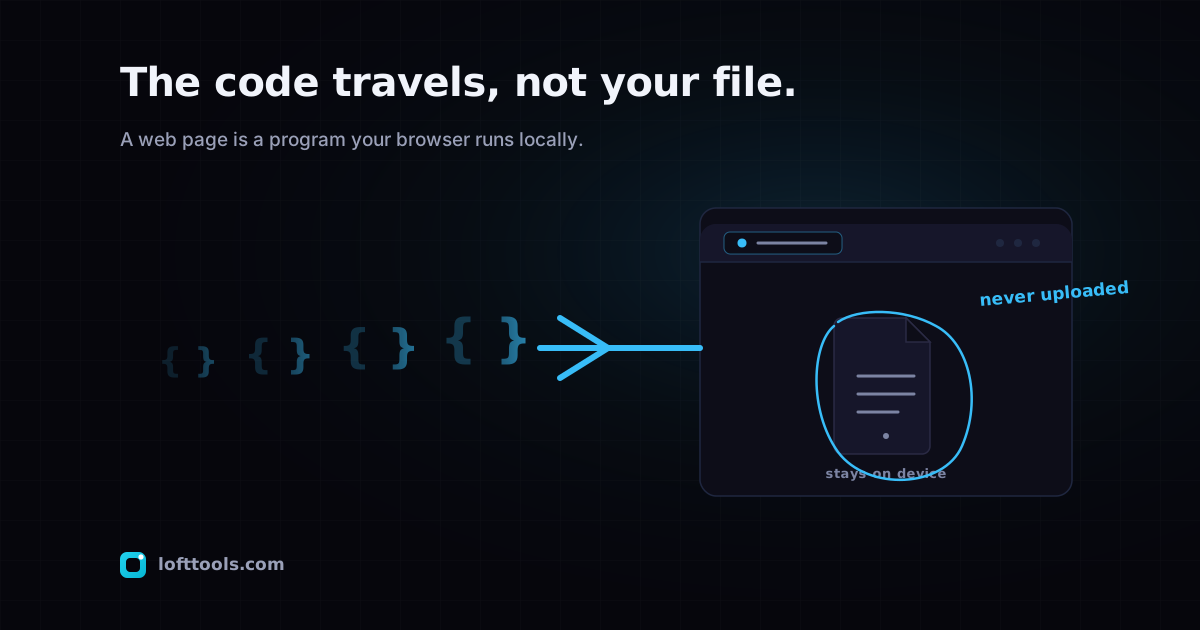
A common point of confusion: if the tool is online, isn't your file online too? No. The code travels over the internet once, runs on your machine, and your file never enters the network. Here is the distinction that matters.
By Khine 1,120 words Extractable lead
A reader emailed me to ask a fair question. If Loft is online —
if I open it in a browser, if it lives at a URL — doesn’t that
mean my file is also online when I use it? I thought I had a good
short answer ready. When I tried to write it down, it kept
sliding into terms the question itself was trying to clarify. So
I’m going to take the long way around. Bear with me.
The question is fair because the internet, for most users, is a
single concept. You’re either “on” it or “off” it. You connect to
Wi-Fi to be on it; you toggle airplane mode to be off it. From
that vantage point, anything happening in a browser is happening
“on the internet” — because the browser is the thing that connects
you to it.
That mental model gets you through almost every daily interaction.
It breaks when the thing you’re doing inside the browser isn’t
actually crossing the network. And a surprising amount of what
browsers do, in 2026, isn’t.
Think of how a calculator app works on your phone. You downloaded
the app once — that download crossed the network. You use the app
many times — each use doesn’t cross the network. The numbers you
punch in aren’t “on the internet” just because the app came from
an online source. The app is on your phone. The numbers are on
your phone. The operation runs entirely on your phone.
A modern browser-side tool works almost exactly the same way. The
code that does the work was downloaded over the network when you
loaded the page (or, if it was cached from a previous visit, not
even then). After it loads, the code is running on your device.
The file you drop into the tool is read by the local code, into
the local memory, processed by the local code, and written back
out as a downloadable result — all locally. The network is
involved in the same way it was involved in delivering the
calculator app: at install time, once.
The calculator analogy isn’t perfect. A native app gets installed
explicitly; a browser tool gets re-downloaded every time you visit
unless the service worker cached it (which it usually does). The
install boundary in the browser is fuzzy in a way it isn’t on
your phone. But the part that matters for the question — is my
file traveling over the network? — is the same in both cases.
The file isn’t. The code was.
So when someone asks “isn’t my file online because the page is
online,” the honest answer is: the page came from online; your
file didn’t. Two different things crossed the network at two
different moments, only one of them mattering for what you might
worry about.
I should be careful here, because there is one piece of network
activity during a Loft tool session that I’d be misleading you to
omit. Two small analytics beacons fire during a session: one on page
load, one after a tool runs. The post-tool beacon carries the
tool’s slug, a duration in milliseconds, your file size rounded
to coarse size buckets (rounded hard — never the real byte
count), and a true/false flag for whether the tool succeeded.
Neither carries the file contents, the file name, or the file
hash. The pillar’s section 9 breaks this
down field by field. If your browser signals GPC, the event is
not recorded.
That beacon is the kind of thing the original mental model
(“everything happens online”) would catch correctly. Some bytes
do travel during a session. Those bytes are not the file. If you
opened the Network tab and watched, you’d see them — and you’d
see they’re tiny, and you’d see they aren’t carrying anything
that looks like the document you were processing.
The mental shift the question is reaching for is which bytes
travel, not whether any do. A page that loads code from a CDN
and sends a 200-byte beacon is doing something fundamentally
different from a page that uploads your 12 MB tax return to a
processing server. Both involve network activity. They are not
the same thing.
I keep thinking about how to make this clearer for a non-technical
reader without leaning so hard on the calculator analogy that
the analogy itself starts to mislead. The calculator example
helps because it’s familiar. It breaks if you push it past
about three uses — a real native app has filesystem permissions
the browser doesn’t, the install boundary is harder, the update
flow is completely different. But for the narrow question of
where do the inputs and outputs live, the analogy holds.
Numbers in a calculator: on the device. Files in a browser-side
PDF tool: on the device. Code in both cases: delivered from
somewhere else.
When you check this for yourself, you can use the same
thirty-second DevTools verification
from earlier in this series. The interesting thing isn’t just
“does my file upload” — though that’s the headline question —
it’s also “which bytes do travel.” A browser-side tool’s Network
tab shows code coming down, a small beacon going up, and your
file staying invisible in either direction. A cloud tool’s
Network tab shows the same code-and-beacon traffic plus a
file-sized POST to a processing endpoint. The architectural
choice is right there in the panel, no marketing claims required.
The reason I find this question worth a full post is that
“isn’t it online” is a category mistake the entire industry has
been quietly benefiting from. As long as users believe that any
browser tool must necessarily upload their file, every operator
who actually does upload gets a free pass — the user assumes it
had to. Once you’ve internalised that some browser tools run
the work locally and some don’t, the question shifts from “is
this safe?” to “which one is this?” The DevTools check answers
the second question in thirty seconds. The first question is
unanswerable without it.
I haven’t solved that category mistake by writing one post. The
shift in mental model happens for individual users, slowly, as
they realise the answer to “where is my file right now” can be
“on your device” even when the page lives at a URL. Each user
who picks up that shift is one more person who’ll ask the right
question the next time they reach for a PDF tool. That’s the
goal of this series, in fewer words than I usually write it.
The pillar at /docs/how-it-works/ is the
canonical version of all of this. If you’ve read this far and you
still want one more page that pulls everything together, that’s
the page.