Reference May 18, 2026 · 4 min read
IndexedDB — where your "saved" file actually sits
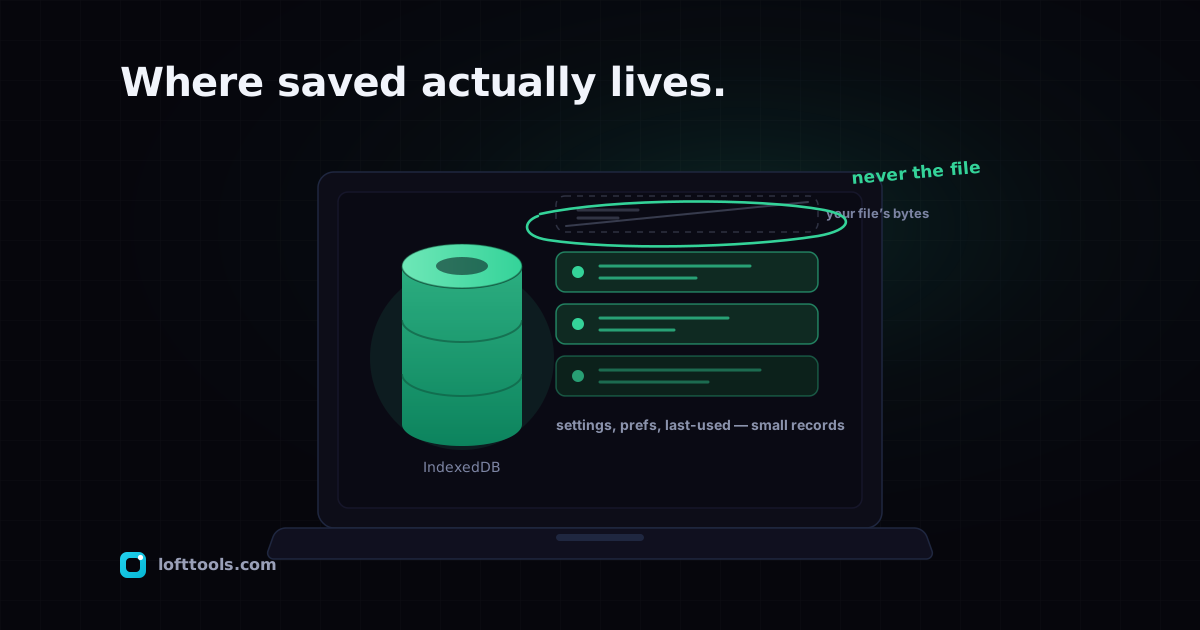
IndexedDB is the browser's built-in local database. When a web app "saves" something across sessions, it usually lives in IndexedDB on your device. Here is what it is, what Loft uses it for, and what it does not store.
By Khine 840 words Extractable lead
Reference page for Loft IndexedDB usage. Updated when stores
or fields change. Last reviewed 2026-05-27.
Definition
IndexedDB is a database the browser maintains on your device, per
origin. Web pages call it to create databases, store structured
records (including binary Blobs), query and update them. The data
stays on the user’s machine, is scoped to the site’s origin, and
survives tab close.
It’s the natural persistence layer for a local-first tool: the
operator can’t query it after the fact, and the user can wipe it
at will.
Properties (vs alternatives)
| Property | IndexedDB | localStorage | server-side DB |
|---|
| Max storage | gigabytes (browser-quota’d) | ~5 MB | unbounded (operator cost) |
| Structured objects | yes | strings only | yes |
| Binary Blobs | yes | no (base64 only) | yes |
| Synchronous | no (async API) | yes (blocking) | network round-trip |
| Per-origin scoped | yes | yes | yes |
| Survives “Clear site data” | no | no | yes (operator) |
| Operator can query | no | no | yes |
| Costs operator money | $0 | $0 | yes |
Loft’s IndexedDB stores
loft-pins
The pinned-tool list. One row per tool you’ve pinned, with:
toolId — unique tool identifiertoolPath — URL path to the toolpinnedAt — timestampversion — build version at pin timebuildSha — build SHA for cache-validity checksrefreshedAt — last successful refresh timestamp- (no file content)
loft-folders
User-created folder groupings for pinned tools. One row per
folder, keyed by a generated id.
The Compare PDF tool’s parsed-PDF cache. Stores parsed metadata
keyed by file fingerprint so a second compare of the same file
is fast. The original PDFs are not stored — only parsed
metadata.
A handful of tools persist single-row preferences in IndexedDB
(or localStorage for smaller items): last-used compression
level, preferred crop ratio, default colour. Scoped to the tool
that wrote it.
Loft’s Cache Storage namespaces
These are Service Worker caches, not IndexedDB. They live under
Cache Storage in the Application panel and are managed by the
service worker rather than by page-side JavaScript.
loft-shell
The offline shell — /offline.html and the install-time stash.
Populated on SW install.
loft-assets
Runtime-fetched code chunks (/_astro/ bundles). The SW keeps
this bounded and evicts older entries during cleanup.
loft-pinned
HTML and assets for every tool you’ve pinned offline. The SW
never removes entries from this cache during its own cleanup
routine, though the browser can still evict it under storage
pressure like any other origin data.
loft-ocr
Opt-in OCR model weights fetched on first OCR use. None of the
content you OCR’d is stored here — only the model files.
loft-pv (Workbox background-sync queue)
A short-lived queue used to replay deferred page-view beacons
when the network is unavailable. Entries expire after 24 hours.
No file content, no user identifiers.
What is never stored
A negative list because the positive list keeps getting longer
in subtle ways. None of the following ever land in Loft’s
IndexedDB:
- The file you ran a tool on.
- The text OCR extracted from your file.
- Any identifier we maintain for “you” (we have no accounts).
- Cross-site tracking IDs.
- Analytics user IDs.
- Cookies for non-essential purposes.
How to inspect it yourself
DevTools → Application tab → IndexedDB in the left
sidebar. Expand the databases under your Loft origin. Each
database lists its stores; each store lists its rows. You can
read every row, edit it, or delete it from the panel.
For a clean slate: DevTools → Application → Clear storage →
Clear site data. Wipes everything.
Properties of the data once stored
Once data is in Loft’s IndexedDB:
- Origin-scoped. Only pages served from
lofttools.com can
read or write it. Cross-origin access is blocked by the
browser.
- Not encrypted at rest by default. Browsers store IndexedDB
as files on disk in a browser-specific format. Modern OSes
encrypt the volume; that covers IndexedDB transitively. If
you require app-level encryption, that’s a feature we’d need
to ship deliberately per tool (the File Encryption tool does
this for its outputs).
- Per-browser. Switch from Chrome to Firefox and you start
fresh in Firefox. Same origin, different browser = different
IndexedDB.
- Subject to quota eviction. Browsers cap total origin
storage at a few hundred MB to a few GB. When heavy, older
entries get evicted. The
loft-pinned cache is not touched
by the SW’s own cleanup, but is still subject to quota-based
eviction by the browser like any other origin data.
Update policy
This page is updated when Loft adds, removes, or changes the
schema of an IndexedDB store. If you spot a mismatch between
what’s documented here and what Application → IndexedDB shows
on the live site, send us a note. The store list
above is current as of 2026-05-27.