Buyer's guide May 26, 2026 · 5 min read
iLovePDF vs Loft — what changes when nothing uploads
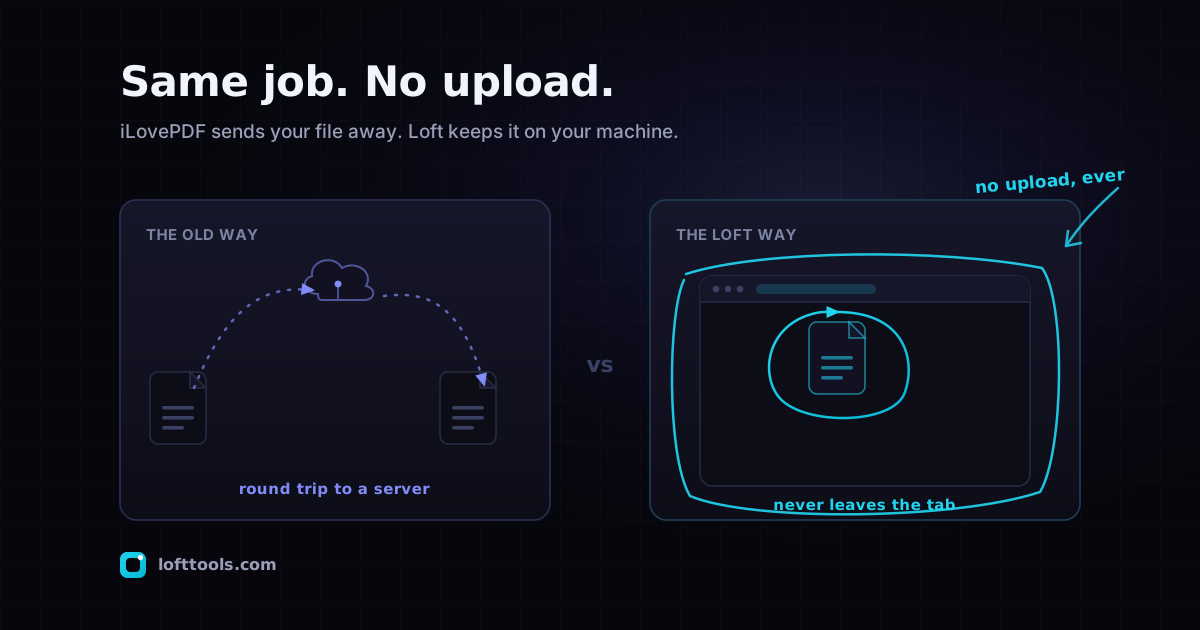
iLovePDF is one of the most-used online PDF tools — 18 free tools, $4/month Premium, capable feature set. Loft Tools does many of the same operations without uploading the file. Here is the side-by-side, honest about where each wins and where each loses.
By Khine 983 words → Compare PDF Extractable lead
Verdict
For team workflows and batch jobs → iLovePDF Premium ($4/mo).
Send-to-sign, shared review URLs, unlimited file size, native
mobile apps, batch processing.
For sensitive single-document work → Loft. The file never
leaves your device. Verifiable in any browser. Same operations,
different risk profile.
For everything in between → it depends on what you actually
use. Read the “which to pick when” section below.
Pricing and tier table
| Tier | iLovePDF | Loft |
|---|
| Free | 18 tools, daily limit, file-size cap | full catalogue, free-tier use limits apply, ~200 MB browser ceiling |
| Mid | Premium — $4/user/mo ($48/yr) | n/a |
| Top | Business — $15/user/mo ($180/yr) | n/a |
| Platforms | Web + native iOS/Android + Windows + Mac desktop | every browser, every OS, PWA-installable |
| Account required | for Premium / Business | never |
| Upload required | every operation | none |
| File retention | 1 hr / 2 hr / 24 hr by tier | n/a (no upload) |
Source for pricing:
iLovePDF pricing page accessed
2026-05-27. Source for retention:
their privacy entry plus
the HonestPDF privacy review.
Operations side by side
| Operation | iLovePDF Free | iLovePDF Premium | Loft |
|---|
| Merge / split / compress / rotate / crop / reorder | yes, limited | yes | yes, no limits |
| Watermark / header-footer / page numbers | yes | yes | yes |
| PDF↔image | yes | yes | yes |
| OCR | Premium only | yes | yes (PaddleOCR + Tesseract) |
| Sign / eSign | basic | full Adobe-Sign-style | basic |
| Redact | Premium only | yes | yes |
| Batch processing | Premium only | yes | free for bulk image resize; PDF batch requires Pro |
| Edit PDF text | basic | full | full (content-stream rewrite) |
| Send-to-sign with team | no | yes | no |
| Shared review URLs | no | yes | no |
| Studio-style real-time collab | no | no | no |
| File size cap | small | unlimited | ~200 MB tab ceiling |
The honest gap where Loft loses: team workflows. iLovePDF’s
send-to-sign, shared review URLs, and centralised team
account-management are real features for businesses sharing
documents. The local-first model would require re-introducing a
server and an account system to match them, which is the choice
we’re trying to avoid.
The honest gap where Loft wins: the file never uploads. Same
operations, different risk profile entirely. iLovePDF deletes
within 1–24 hours; we never received the file in the first place.
- Team uses one document together. iLovePDF Premium’s
send-to-sign and shared review URLs are real value here. Loft
has nothing comparable and probably never will.
- Native mobile app is required. iLovePDF has full iOS and
Android apps. Loft is a PWA — installable but not native, and
iOS PWA install discoverability is poor.
- Batch processing across hundreds of PDF files. iLovePDF
Premium runs batch jobs server-side. Loft’s PDF tools process
one file at a time; bulk image resize is the exception.
- Files routinely exceed 200 MB. A 500-page scanned document
with images may not fit in a browser tab. iLovePDF’s server has
no such constraint.
- The file is sensitive. Tax, legal, medical, unreleased
commercial work. The no-upload guarantee is worth more than
retention-window promises.
- You only need PDF tools occasionally. $48/yr is a lot for a
tool you use four times.
- Mac, Linux, Chromebook, iPad, or anywhere iLovePDF’s desktop
app doesn’t reach. One URL works everywhere.
- You want to verify the privacy claim yourself. The
DevTools walkthrough
takes 30 seconds and proves the no-upload architecture at the
browser-enforced level.
Which should I pick when
I sign two contracts a year and compress files for email —
Loft. Per-use cost is zero. Don’t subscribe to anything.
I run a small legal practice that needs eSign + shared review —
iLovePDF Premium. The team features pay for themselves week one.
I’m a contractor reviewing drawings on a Mac — Loft. iLovePDF
has Mac desktop but the upload-then-download flow is slow for
quick review.
I work in a regulated industry with archival compliance —
neither. You need Adobe Acrobat Pro with audit-trail compliance
support. See the
Acrobat comparison.
My personal volume is roughly one PDF operation per week —
Loft. $48/year for one operation per week is $0.92 per operation.
Cheaper to do the operation in a browser tab.
My team’s volume is hundreds of documents per day, shared
across five people — iLovePDF Business ($15/user/mo). The
account management and shared workflows are the actual feature
set you’re paying for.
A note on iLovePDF’s retention windows
iLovePDF’s stated retention windows are short by industry
standards (1 / 2 / 24 hours by tier) and they’re ISO 27001
certified. We’re not arguing they’re doing anything wrong. The
distinction is that “we delete your file within X hours” is a
different kind of guarantee than “your file never reached us.”
A breach at iLovePDF would expose any file in the deletion
window; a breach at Loft can’t expose files we never had.
For routine documents most retention windows are fine. For tax
returns and contracts, the architecture choice is the more
important variable.
A small confession
I checked iLovePDF’s pricing page three times while writing this
post because the tier names keep shifting. The numbers above are
correct as of access. If you’re reading this six months from now,
re-check before you decide.
The pillar at /docs/how-it-works/ covers
Loft’s architecture. The
broader cloud-vs-browser post
goes deeper on what retention windows do and don’t fix.