Field guide May 19, 2026 · 4 min read
CSP headers — the seatbelt that stops accidental uploads
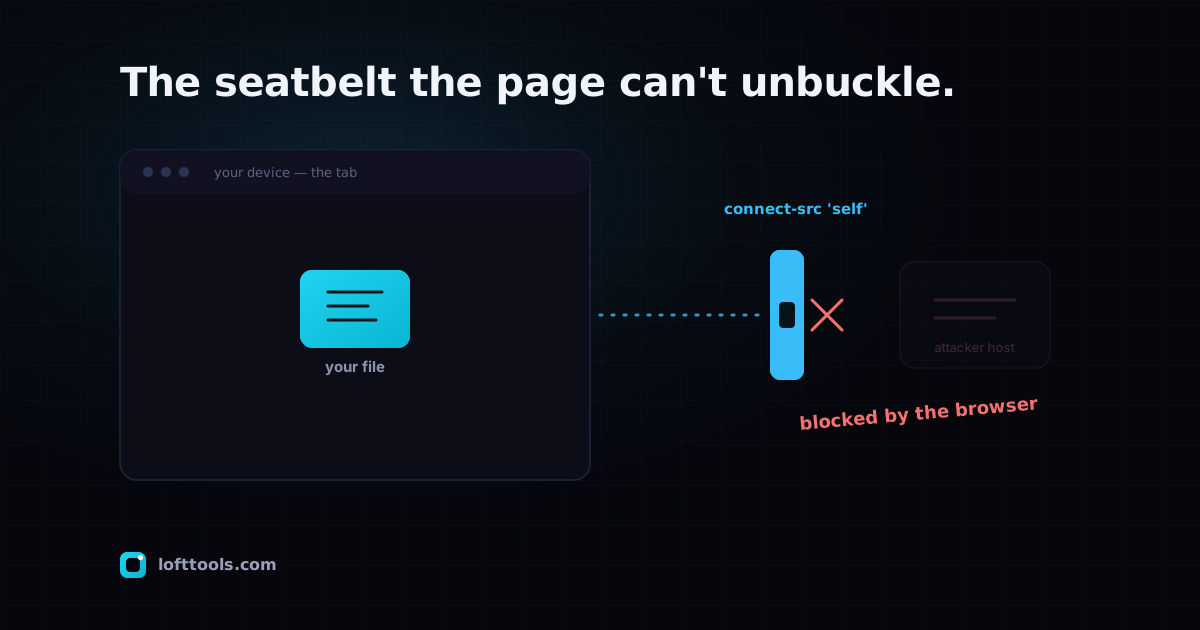
A Content-Security-Policy tells the browser which destinations a page is allowed to send data to, and the browser enforces it — not the site. For a file tool, that turns "we promise not to upload your file" into something the browser would block even if our own code tried.
By Khine 769 words Extractable lead
A webpage can run code from several places — its own scripts, a
framework’s runtime, sometimes things the user pastes in. In
principle any of that code could try to send data somewhere. A
Content-Security-Policy is the page handing the browser a guest
list and saying: these are the only destinations I’m allowed to
talk to. Block everything else.
The important part is who enforces it. Not the site — the browser.
The policy travels with the page as an HTTP header; the browser
reads it and refuses any outbound request to a destination that
isn’t on the list. A bug in our code, a bad dependency, even a
hypothetical compromise of our own build couldn’t send your file
to some attacker’s server, because the browser would block the
request before it left your machine. That’s the seatbelt: it works
regardless of whether the driver remembers to be careful.
For a privacy-sensitive tool, the CSP is what turns a promise into
a guarantee you can lean on. “We don’t upload your file” is a
claim. “The browser will not permit this page to send your file to
any destination we haven’t explicitly listed, and our list
contains no general-purpose upload destination” is enforced
mechanism. The second one survives our mistakes.
Loft’s policy names, in plain terms, the handful of places the
page is allowed to reach: our own content-delivery domain for the
tool code, an analytics collector for anonymous counts, the
payment processor on the sponsor page, and the public repositories
the optional OCR models are fetched from. There is no entry that
accepts an uploaded document, because no Loft tool uploads one.
You can watch it engage
Open the developer console on any Loft page and try to make the
page fetch a URL that isn’t on its allow-list — a POST to some
unrelated domain. The browser refuses it and logs a
Content-Security-Policy violation. You didn’t configure that; the
page told the browser to enforce it, and the browser did. That’s
the same machinery that would stop a rogue script from shipping
your file somewhere.
You can also just read the policy. In DevTools, open the Network
tab, click the page’s own document request, and look at the
response headers for Content-Security-Policy. Every destination
the page may contact is spelled out there. Anything absent is
blocked. Third-party scanners like
Mozilla Observatory and
Hardenize will grade any public
site’s headers for you without your having to read them by hand.
What a CSP cannot do
A seatbelt is not a force field. CSP narrows one category of risk
extremely well and does nothing for others:
| Risk | Does CSP help? |
|---|
| A compromised page trying to upload your file to an attacker host | Yes — blocked at the browser |
| Malware already on your computer reading your files | No — CSP only governs the webpage |
| A bug that leaks data through a destination the page is allowed to use | No — it narrows the channels, it doesn’t audit the code using them |
| Phishing, or you pasting something where you shouldn’t | No — that’s not a network-policy problem |
For a browser-side file tool, the category CSP closes — accidental
or malicious exfiltration to somewhere it shouldn’t go — is the one
that matters most, and it’s closed by the browser rather than by
our good intentions.
An honest note on the relaxations
No production CSP is at the theoretical maximum, and ours isn’t
either. We keep two narrow relaxations: one the in-browser video
engine needs for its compiled glue code, and one the site
framework needs for the small inline scripts that boot each page.
Both are well-understood industry constraints rather than
oversights, both are tracked as known debt to remove as the
underlying tools mature, and neither opens a path to send your
file anywhere — they affect how scripts may execute on the page,
not where the page may send data. We’d rather name them than imply
a perfect score.
The takeaway
When a tool claims your file stays on your device, the strongest
version of that claim isn’t a sentence in a privacy policy — it’s
a Content-Security-Policy the browser enforces, that you can read
yourself in thirty seconds, with no upload destination on the
list. That’s a thing you can verify rather than trust.
The pillar at /docs/how-it-works/ covers the
local-first model end to end. The
MDN CSP reference
is the canonical spec if you want the full mechanism.