Editorial May 5, 2026 · 4 min read
Browser tab vs cloud server — which one has your PDF?
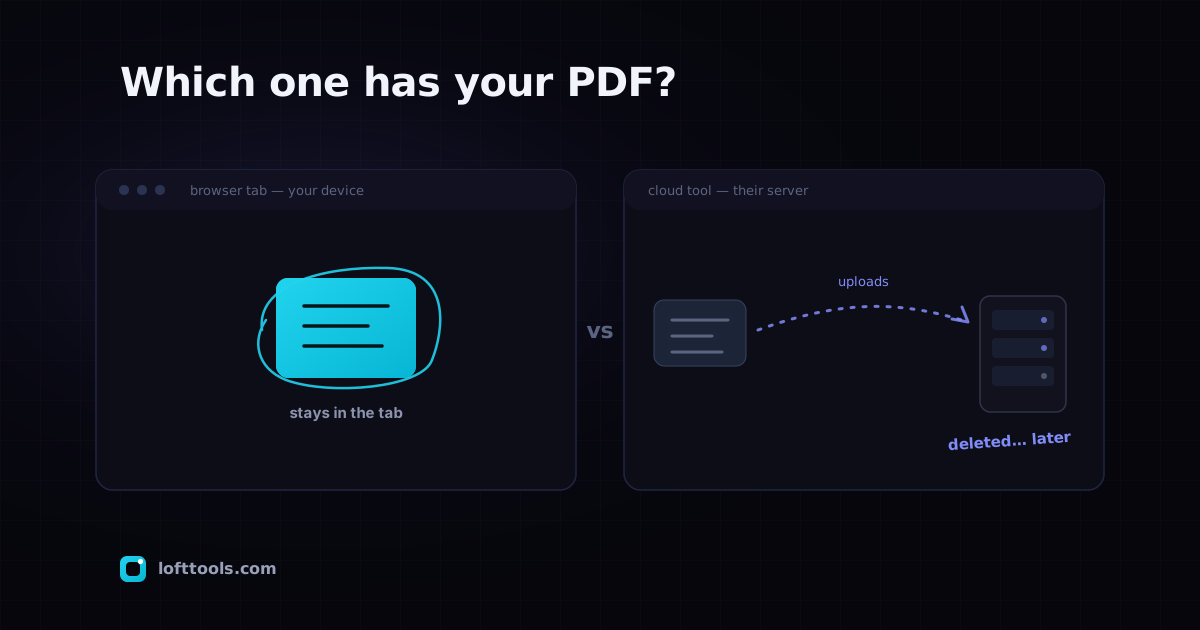
Every online PDF tool falls into one of two architectures: your file gets uploaded to a server, or it stays inside the browser tab on your machine. Here is how to tell which one a given tool uses, what each one means for your file, and why retention windows do not fix what they claim to fix.
By Khine 798 words → Compare PDF Extractable lead
There are only two ways an online PDF tool can do its work, and the
difference between them is the most important thing you can know
about any tool you trust with a real document.
Either the page sends your file to a server somewhere, the server
does the work, and the server sends back a result. Or the page
itself does the work in the browser tab you opened it in, and your
file never leaves the device under your hands. Both flows look
identical at the URL bar. Both feel the same on the click of an
“Upload” button. Only one of them actually involves an upload.
The cloud-side flow has been the default for a long time, for an
honest reason: until WebAssembly matured in the last few years,
browsers really couldn’t run PDF processing fast enough. So tools
were built the way they had to be built — upload, process, return.
The retention windows you see today (Smallpdf deletes anonymous
uploads within one hour, PDF24 within one hour, iLovePDF within
one, two, or twenty-four hours depending on the tier) are an
artefact of that era’s good-faith engineering. The operator runs
real infrastructure, the file genuinely has to live somewhere
while it’s processed, and the right thing to do is delete it as
soon as the user has the result.
I’m not making the case that those operators are doing anything
wrong. iLovePDF publishes
a privacy policy that
states exactly what they do. The
HonestPDF reviews
of all three pull out the retention windows in plain text. ISO
27001 certifications cover the controls. By industry standards
this is responsible operation.
The case I’m making is narrower. Even when the operator does
everything right, four things still hold:
The file existed on a third-party server, briefly, and during that
window any subpoena, breach, or operational error could surface it.
Network logs of the upload usually outlive the file itself. The
file metadata — name, size, originating IP, time of day — sits in
an analytics database long after the bytes are gone. And the next
incident at the operator, whatever shape it takes, will affect
files that happened to be inside their deletion window when the
incident hit.
None of those four are hypothetical. They’re not common; they’re
not catastrophic when they happen; they’re an order of magnitude
less significant than the risk of, say, a phishing email. But
they’re real, and they’re proportional to how many sensitive files
move through that operator’s pipeline. For routine documents most
of us produce most days, this risk is fine. For tax returns,
signed contracts, medical records, NDAs, drafts of things you’re
not ready to share — the question becomes “do I want this category
of risk at all.”
Browser-side architecture is the answer that removes the category.
The file goes into the tab’s memory, the WebAssembly module
processes it there, the result is generated locally, the tab
closes and everything inside it vanishes. There is no upload
endpoint to delete the file from, because there was no upload
endpoint. The
CSP of any browser-side
site shows zero file-sized POST destinations in the connect-src or
form-action lists. The browser enforces this independently of the
operator’s good intentions.
I should be honest about what the browser-side architecture costs.
You can’t share a half-finished draft across devices. You can’t
collaborate in real time. A per-tab memory cap — low hundreds of MB on modern phones —
will fail on really large jobs. Native mobile apps don’t exist.
These are real costs the cloud-side architecture handles better.
What the user gets back is the simplest possible answer to a
question that used to require trust: where is my file right now?
On the browser-side architecture, the answer is “on your device,”
and the proof is a Network tab anyone can open. The cloud-side
architecture’s honest answer is “on our server for the next 60
minutes, then nowhere, probably.” Both answers are defensible.
They are not the same answer.
And before someone emails me to say I’m overstating this — I know
the actual breach rate at responsible PDF operators is probably
lower than the rate at which the average user clicks a phishing
link. The argument isn’t that cloud PDF tools are unsafe. The
argument is that an architecture which removes a category of risk
is, on balance, the right default for documents that genuinely
matter to you, and the wrong default to be opted into without
realising it.
The thirty-second
Network tab verification
will tell you which architecture any tool you use is actually
running on. Once you’ve checked, you can trust by architecture
rather than by marketing copy. That seems like the right amount
of effort to spend before handing a tax return to a stranger’s
server.
Pillar: /docs/how-it-works/.