Buyer's guide May 27, 2026 · 5 min read
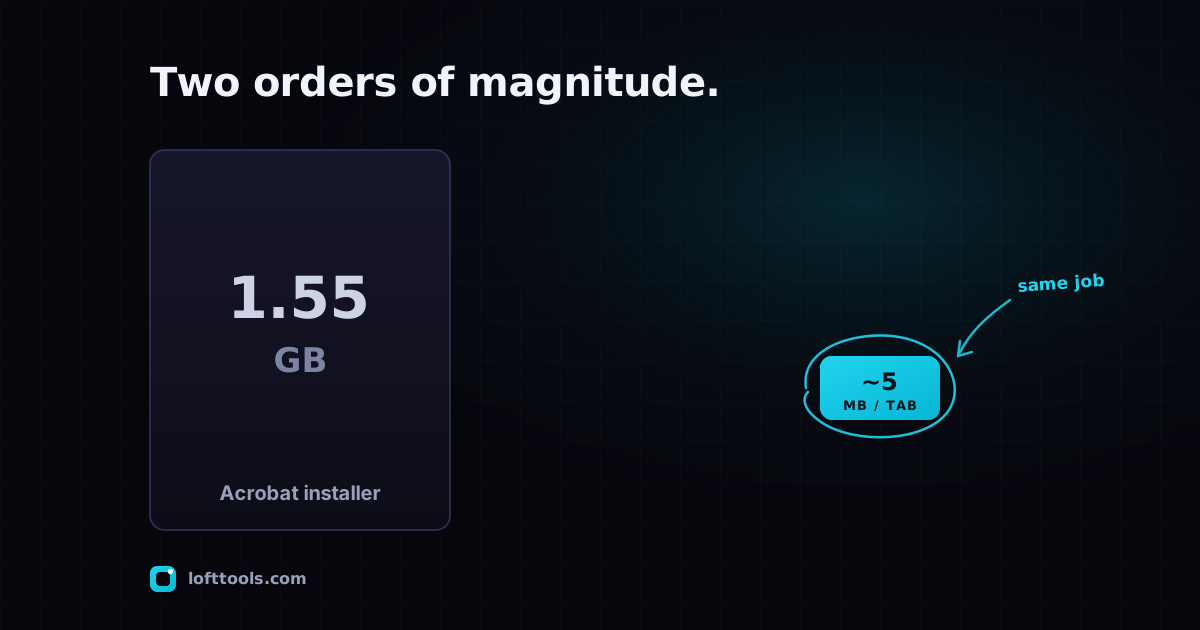
Adobe Acrobat installs 1.55 GB. Loft loads a few MB in a browser tab.
Adobe Acrobat Pro DC installs at roughly 1.55 GB and recommends 8 GB of free disk space plus 8 GB of RAM. Loft Tools runs the same operations on a few megabytes of WebAssembly inside a browser tab. Here is the breakdown, and why the gap is bigger than it looks.
By Khine 928 words → PDF Editor Extractable lead
Verdict
For occasional PDF tasks → use Loft. Browser-based, free, files
never leave your device. Pay nothing, install nothing.
For daily heavy PDF authoring → use Adobe Acrobat Pro DC. The
1.55 GB install cost amortises over thousands of operations a
month and the depth of feature is genuinely worth $240/year.
For most users in the middle → start with Loft; reach for
Acrobat only when you hit a feature gap.
The numbers
| Adobe Acrobat Pro DC | Adobe Acrobat Reader DC | Loft Tools |
|---|
| Disk required to install | 4.5 GB | n/a | 0 |
| Installer download | ~1.55 GB | ~600 MB | 0 |
| At-rest size on disk | varies; grows substantially after cumulative updates | ~2 GB on Windows | ~5–10 MB cached in browser per tool |
| RAM recommended | 8 GB | 4 GB | bounded by tab (a per-tab memory cap, low hundreds of MB on modern phones) |
| Update flow | monthly patches, hundreds of MB each | same | page reload — silent |
| Cross-platform | Windows + Mac | Windows + Mac + mobile | every browser, every OS |
| Cost | $239.88 / yr annual plan ($19.99/mo) | free | free |
Adobe’s installer requirement of 4.5 GB during install and 1.55 GB
installer is from their own
technical requirements page.
The 2 GB at-rest figure for Reader on Windows comes from
Michael Horowitz’s audit,
which walked the install tree to confirm. The Loft side comes from
our own production bundle — across all PDF tools combined, the
lazy-loaded JavaScript + WebAssembly is roughly 20 MB on disk in
the deploy output, of which any single tool needs maybe 5–10 MB on
first visit. Cached after that.
The gap is roughly two orders of magnitude. Not because Adobe is
bloated; because their architecture has to bring the entire feature
surface to your machine up front, while ours only ships the code
for the specific tool you opened, on the visit you opened it.
Where each one wins
Adobe Acrobat Pro DC wins on
- Feature depth. Forms authoring, Action Wizard batch
automation, accessibility tagging, PDF/A archival validation,
Adobe Sign integration, deep redaction with audit trail.
- Daily use amortisation. If you live in PDF eight hours a
day, the install cost is paid back in week one.
- Enterprise IT compatibility. “We use Adobe” is sometimes the
required answer for regulated industries.
- Multi-language OCR at scale. Adobe’s in-house OCR covers
200+ languages with consistent quality.
Loft wins on
- No install, no commitment. Open URL, do work, leave.
- Files never upload. Verifiable in any browser’s Network
panel.
- Cross-platform reach. Same URL on Mac, Linux, Chromebook,
iPad, iPhone, Android. Adobe’s mobile apps are good; Loft’s
delivery is one URL.
- Update transparency. No 500 MB patch tower. Every page
reload uses the current build. A few dozen changelog entries went out
in May 2026 without anyone clicking update.
Which should I pick when
I work in PDF every day, mostly authoring — Acrobat Pro. The
depth is worth the install and the subscription.
I need to compress a single contract before emailing it — Loft.
The job takes 30 seconds. Installing Adobe for this is the wrong
shape of solution.
I want to redact a tax return — Loft. The file never leaves your
device, which matters for tax documents. Acrobat’s redaction is
more polished if you do it weekly; Loft’s is enough if you do it
twice a year.
I’m on a Chromebook, Linux box, or older Mac — Loft. Acrobat
Pro doesn’t run there reliably; Acrobat Reader is heavier than the
device wants.
I run batch automation across 1000+ PDFs — Acrobat Pro Action
Wizard. Loft processes one file at a time per tab.
I need an installed mobile app for offline field use — Acrobat
mobile, probably. Loft works as a PWA but the install discovery is
poorer on iOS.
I’m not sure — try the operation on Loft first. If it works,
you saved $240. If it doesn’t, you know exactly what feature gap to
shop Acrobat for.
A note on Reader
Adobe Acrobat Reader DC is free and takes ~2 GB on Windows at rest.
It reads PDFs and offers a small subset of edit operations. The
$240/year Pro subscription buys the authoring side — editing,
forms, redaction, OCR, batch.
If reading is all you need, your browser’s built-in PDF viewer
(Chrome ships PDFium; Firefox ships PDF.js) probably
covers it without Reader OR Loft.
My honest take
I keep Acrobat Pro installed on one machine for the deep work and I
use Loft for everything else. The boundary moves around — there are
months where I never open Acrobat, and months where I’m in it
daily. The point is I don’t have to pick one. Same PDF format,
same files, two tools that fit different sides of the work.
If you’re starting from zero today and you don’t already know you
need Adobe Pro, my advice is: don’t subscribe yet. Try Loft for
your real work for two weeks. Pick up Acrobat only if and when
you hit a specific feature gap you can’t work around. That’s how
the $240/year decision should be made.
The pillar at /docs/how-it-works/ covers the
architecture decisions that make Loft’s footprint that small. The
Adobe pricing breakdown post
goes deeper on the subscription side specifically.